
Unlocking the Power of WhatsApp’s New AI Features for Messaging
Estimated reading time: 10 minutes
Key Takeaways
- WhatsApp is integrating new AI features powered by Meta AI to enhance messaging.
- Features include message summarization, AI image generation, and improved voice/video messaging.
- Privacy is a priority, with many features using “Private Processing” and being “off by default.”
- AI can assist with text generation, brainstorming, and quick replies, improving efficiency and creativity.
- Businesses can leverage AI for customer service, marketing, and lead generation through custom chatbots.
Table of contents
- Unlocking the Power of WhatsApp’s New AI Features for Messaging
- Key Takeaways
- Understanding the Latest WhatsApp AI Messaging Updates
- How to Use WhatsApp AI for Text Generation and More
- The Strategic Edge: WhatsApp AI Assistant Messaging Benefits
- Beyond Basic Chat: Exploring WhatsApp AI Chatbot Creation Tools
- Practical Tips & Best Practices for WhatsApp AI
- Embracing the Future of Messaging with WhatsApp AI
- Frequently Asked Questions
The Dawn of AI in Your Daily Chats
Imagine a world where your chat app helps you catch up quickly, sparks new ideas, and even makes pictures for you. That world is now here, thanks to WhatsApp new AI features for messaging. WhatsApp, the app many of us use every day to talk to friends and family, has welcomed smart tools powered by Meta AI. These exciting features, rolling out from 2024 to 2025, are designed to make your chats easier, more fun, and super helpful.
These powerful tools include things like making images, summarizing long conversations, and even improving how you send voice notes. They are all part of a big step forward for communication. These latest WhatsApp AI messaging updates are not just fancy tricks; they are here to help you get more done and be more creative without leaving your chat. We will explore exactly what these new features are, how you can use them, and all the cool ways they can make your daily messaging better. You’ll learn how these smart tools respect your privacy, too, making your conversations both intelligent and safe.
Understanding the Latest WhatsApp AI Messaging Updates
Recent Developments and Core Capabilities
WhatsApp is constantly improving, and its newest updates bring powerful artificial intelligence (AI) right into your everyday conversations. These latest WhatsApp AI messaging updates, rolling out between 2024 and 2025, are designed to make chatting smarter and more personal. A key part of these updates is that they are built with your privacy in mind, often being “off by default.” This means you get to choose when and how you use these smart new tools. The technology behind them, called Private Processing, helps keep your messages safe while the AI does its work.
Let’s look at some of these exciting new features:
- Message Summaries Keep You in the Loop: Have you ever opened a chat group to find hundreds of messages you missed? It can be hard to catch up! Now, WhatsApp has a clever tool called “Message Summaries.” This feature uses Meta AI to privately summarize your unread messages. It’s like having a smart assistant read through everything and give you the main points, so you can quickly understand what’s been discussed without reading every single message. This saves you a lot of time and helps you join conversations faster. https://blog.whatsapp.com/catch-up-on-conversations-with-private-message-summaries
- Better Pictures with Meta AI Image Generation: Getting creative in your chats is easier than ever. The improved Meta AI image generation now creates higher-quality pictures and even short videos right inside your chat window. This means you can quickly make cool visuals for your Status updates or send fun animated clips to friends. Whether you want to share a unique greeting, illustrate an idea, or just make your messages more lively, these smart image tools are a fantastic addition. They make your visual content pop, allowing for more expressive and engaging digital storytelling. https://www.croma.com/unboxed/whatsapp-new-calling-chat-features-meta-ai-update
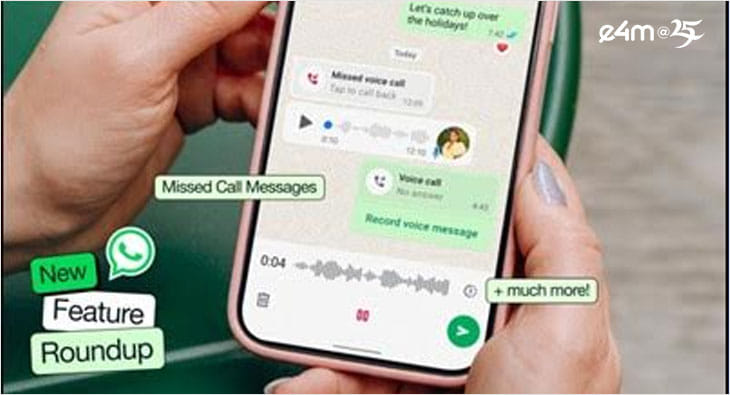
- Missed Call Messages and Voice Chat Reactions: Sometimes you can’t answer a call, but you still want to share a quick message. WhatsApp’s new “missed call messages” feature lets callers leave short voice or video notes when you don’t pick up. This is a bit like a modern voicemail, helping you stay connected even when you miss a call. Also, in voice chats (like when several people are talking at once), you can now send quick reactions with emojis. These reactions let you give feedback or show how you feel without interrupting others who are speaking, making group voice chats smoother and more interactive. https://www.croma.com/unboxed/whatsapp-new-calling-chat-features-meta-ai-update
- Desktop Media Tab for Easy Finding: For those who use WhatsApp on their computer, there’s a handy new “Desktop Media Tab.” This tab cleverly groups together all your documents, links, and pictures shared in a chat. It makes finding old files or important information much easier. No more scrolling endlessly to find that one photo or link your friend sent weeks ago! This organizational tool is a huge help for keeping your digital life tidy. https://www.croma.com/unboxed/whatsapp-new-calling-chat-features-meta-ai-update
Key Concepts Behind the Intelligence
To truly understand these WhatsApp new AI features for messaging, it helps to know a couple of important ideas:
- Meta AI Integration: This is the clever brain behind many of these new smart features. Meta AI is an advanced artificial intelligence system built by Meta (the company that owns WhatsApp and Facebook). It’s the engine that helps generate text, summarize information, and create images directly within your WhatsApp app. Think of it as the smart helper that understands your requests and produces helpful responses or creative content. This integration brings truly intelligent functionality to your daily digital conversations. https://getupdates360.com/best-free-ai-tools-content-creators-2025
- Private Processing: This is super important for your privacy. When we talk about AI, people sometimes worry about who sees their messages. With Private Processing, WhatsApp has found a way for the AI features, like Message Summaries, to work without WhatsApp or Meta ever actually reading the content of your messages. This means the AI either processes the information on your device itself or uses special encrypted servers where your messages are kept secret. It’s a smart way to get the benefits of AI without giving up your personal privacy. https://getupdates360.com/ai-impact-h1b-indian-it-companies
These exciting advancements make the latest WhatsApp AI messaging updates not just convenient, but also secure, giving you more power and peace of mind in your digital interactions.
How to Use WhatsApp AI for Text Generation and More
Practical Applications for Daily Communication
WhatsApp’s new smart tools let you tap into the power of AI to create messages, get quick summaries, and even brainstorm ideas, all without leaving your chat. Learning how to use WhatsApp AI for text generation opens up a world of convenience for your daily conversations. These features act like a personal writing assistant, making your digital communication faster and more effective.
Here’s a simple guide on how you might use these text-generating capabilities:
- Start Your Chat: First, open any chat with a friend or a group where you want to use the AI.
- Look for the AI Icon: Keep an eye out for a special “AI” icon, which might look like a small star or a brain symbol, usually near where you type your message. Sometimes, there might be a new “Compose with AI” button that makes it even easier to start. This is your gateway to the smart features.
- Choose What You Need: Once you tap the AI button, you might see options like “quick reply,” “draft a longer message,” “brainstorm ideas,” or even “translate.” Pick the one that fits what you want to do.
- Tell the AI What You Want: Type a simple instruction, also known as a “prompt.” For example, if you want a summary, you could type: “Summarize our project discussion in 3 bullet points.” If you need a quick message, you might say: “Write a polite way to say I’m running late.”
- Review and Send: The AI will quickly give you a suggestion. Read it to make sure it’s what you want. You can always change it a little if needed, then tap send! It’s that simple to get an AI-powered boost to your messages.
Everyday Examples of AI in Action
Let’s look at some real-life ways these WhatsApp new AI features for messaging can help you:
- Quick Replies for Busy Moments: Imagine you’re in a meeting and your friend texts you. Instead of typing a full message, you can ask the AI to generate a quick reply like, “I’m on a call, will get back in 5 min.” This saves you time and lets your friend know you’ll respond soon, making communication smooth and polite. https://getupdates360.com/best-free-ai-tools-content-creators-2025
- Elaborate Messages Made Easy: Sometimes you need to write something a bit more formal or detailed, like a polite apology to a colleague or a detailed invitation for a birthday party. The AI can help you draft these messages. You just give it the main points, and it helps put them into well-worded sentences, ensuring your message is clear and appropriate. This is incredibly helpful for crafting professional or sensitive communications. https://getupdates360.com/automation-systems-services-guide
- Summarising Long Group Chats: If you’re part of a busy group chat, catching up can be a chore. With Message Summaries, you can ask the AI to give you a concise recap of a long 200-message thread. It will highlight the key decisions, topics, or action items, so you don’t miss important details. This intelligent summarization feature truly revolutionizes how you keep up with ongoing discussions, saving mental energy and effort. https://blog.whatsapp.com/catch-up-on-conversations-with-private-message-summaries
- Brainstorming Creative Ideas: Stuck for ideas? You can ask the AI for help! For instance, if you’re planning a friend’s birthday, you could ask, “Give me 5 creative ideas for a birthday surprise.” The AI will instantly generate suggestions, acting as a helpful digital brainstorming partner to spark your imagination. https://getupdates360.com/best-free-ai-tools-content-creators-2025
- Instant Translation: Chatting with someone who speaks a different language? The AI can help with translation. You can simply ask it to “Translate this message to Spanish instantly,” and it will provide the translated text, breaking down language barriers and making global communication much easier. https://getupdates360.com/india-canada-australia-innovation
Other Useful AI Functions
Beyond generating and summarizing text, the latest WhatsApp AI messaging updates offer other practical functions:
- Task Reminders: You might be able to ask the AI to set a reminder for a task directly within your chat, helping you stay organized.
- On-the-Fly Fact Look-Ups: Need a quick piece of information? You could ask the AI for a fact or definition without having to leave WhatsApp and open a search engine. https://getupdates360.com/what-is-an-intelligent-agent-in-ai-the-ultimate-guide/
- Generating Hashtags for Status Posts: If you’re posting a picture or update to your Status, the AI can suggest relevant hashtags, helping more people discover your content.
These diverse features, from quick replies to creative prompts, show how WhatsApp new AI features for messaging are making communication more intuitive, productive, and personalized for everyone.
The Strategic Edge: WhatsApp AI Assistant Messaging Benefits
Discovering the Advantages of Smart Communication
The introduction of AI into WhatsApp isn’t just about adding new features; it’s about giving users a powerful tool that boosts their productivity and sparks creativity. These WhatsApp AI assistant messaging benefits provide a strategic edge, transforming how individuals and businesses manage their daily digital interactions. Think of it as having a smart helper right inside your favorite messaging app, always ready to make things easier.
Let’s explore the key advantages these intelligent tools bring:
Benefit #1 – Enhanced Efficiency
One of the biggest advantages of these smart communication tools is how much time they save. Message Summaries, powered by Meta AI, are a prime example. Instead of spending valuable minutes or even hours reading through a mountain of unread messages in a busy group chat, the AI quickly condenses them into the most important points. This significantly cuts down on reading time and effort. Imagine coming back to a chat and instantly knowing the main decisions or topics discussed, allowing you to catch up faster and join the conversation with all the necessary context. This intelligent summarization helps you focus on what truly matters, freeing up your time for other tasks. https://blog.whatsapp.com/catch-up-on-conversations-with-private-message-summaries
Benefit #2 – Boosted Creativity
The WhatsApp new AI features for messaging also unlock new levels of creativity. With AI-generated images and animated videos, you no longer need to be a design expert to make eye-catching content. You can easily:
- Create Personalized Visuals: Ask the AI to generate a unique image for a friend’s birthday message or a special announcement. https://getupdates360.com/best-free-ai-tools-content-creators-2025
- Animate Your Photos: Turn a still picture into a short, engaging video clip to share on your Status or in a chat.
- Enhance Your Status Updates: Add dynamic, AI-created visuals that grab attention and make your updates more interactive and fun. https://www.croma.com/unboxed/whatsapp-new-calling-chat-features-meta-ai-update
This means you can express yourself in more diverse and exciting ways, making your chats and Status posts much more engaging for your audience. It’s like having a personal digital artist at your fingertips, ready to bring your ideas to life.
Benefit #3 – Improved Accessibility
WhatsApp’s AI features make communication more inclusive for everyone. For example:
- Voice-Note Transcription: While not directly detailed in the provided research, AI often includes the ability to turn spoken words into text. This helps users who may prefer to read messages rather than listen, or for those who have hearing difficulties. https://getupdates360.com/how-to-help-disabled-person-public
- Translation Services: Breaking down language barriers is crucial for global communication. AI can quickly translate messages, allowing people who speak different languages to understand each other effortlessly. https://getupdates360.com/india-canada-australia-innovation
- Quick-Reply Generation: For individuals who find typing challenging due to physical limitations or learning differences, AI-generated quick replies offer a simple way to respond efficiently and participate fully in conversations.
These smart tools ensure that more people can connect and communicate effectively, making WhatsApp a more welcoming platform for all.
Benefit #4 – Information on Demand
Imagine being in a group chat and needing a quick answer to a question. With AI integrated into WhatsApp, you might be able to fetch facts, look up definitions, or even perform quick calculations without ever leaving the app. This means you don’t have to stop your conversation, open a separate web browser, search for the information, and then return to your chat. The AI acts as an instant knowledge source, bringing relevant data right to your fingertips, making your conversations more productive and informative. https://getupdates360.com/what-is-an-intelligent-agent-in-ai-the-ultimate-guide/
Benefit #5 – Personalisation
Over time, these intelligent systems are designed to learn from your interactions. The AI can begin to understand your unique communication style, your preferred tone (whether you’re formal, casual, or humorous), and even your typical phrases. This means that when it drafts a message for you, it can suggest content that sounds more like you. This level of personalization makes the AI assistant incredibly helpful, as its suggestions become more and more relevant, saving you editing time and ensuring your messages always reflect your true voice. It’s like having a smart digital clone that knows exactly how you like to communicate. https://getupdates360.com/best-free-ai-tools-content-creators-2025
These latest WhatsApp AI messaging updates offer tangible advantages, making your digital life more streamlined, creative, accessible, informed, and uniquely tailored to you.
Beyond Basic Chat: Exploring WhatsApp AI Chatbot Creation Tools
Advanced Solutions for Businesses and Developers
While most of the new AI features in WhatsApp are for everyday users to make their chats smarter, there’s another exciting side to AI on WhatsApp. This involves creating custom AI tools, known as chatbots, for businesses and advanced users. It’s important to understand the difference: the built-in AI features are like having a smart assistant for your personal chats, while WhatsApp AI chatbot creation tools are for building automated helpers that can do specific jobs for companies. These custom chatbots are powerful digital agents designed to interact with customers, automate tasks, and provide instant information. https://getupdates360.com/automation-systems-services-guide
What are WhatsApp AI Chatbot Creation Tools?
WhatsApp AI chatbot creation tools are special platforms, programming interfaces (APIs), and services made by other companies that allow developers to build smart, AI-driven bots that can “talk” and work inside WhatsApp. Think of them as building blocks and instructions for creating your own intelligent assistant. Some popular examples include Meta’s Business API, Twilio, Gupshup, and ManyChat. These tools provide the framework for businesses to design sophisticated automated conversations that can respond to customer queries, manage orders, and much more, all through WhatsApp.
Powerful Business Use-Cases for AI Chatbots
For businesses, integrating AI chatbots into their WhatsApp strategy offers huge advantages:
- Customer Service: Imagine a chatbot that can instantly answer common questions about your products, track an order, or even help customers book an appointment. These bots provide 24/7 support, making sure customers always get quick answers, even outside of business hours. This greatly improves customer satisfaction and frees up human customer service agents to handle more complex issues. https://getupdates360.com/automation-systems-services-guide
- Marketing Campaigns: AI chatbots can help businesses send personalized offers to customers. For example, a bot could send a special discount code for a product a customer previously viewed, or share news about a sale that matches their interests. These AI-generated personalized offers, sent via broadcast lists, make marketing more effective and engaging. https://getupdates360.com/best-free-ai-tools-content-creators-2025
- Lead Generation: Businesses constantly look for new customers. An AI bot can ask potential customers a series of qualifying questions directly in WhatsApp to find out what they need. If a person seems like a good fit, the bot can then automatically forward their details to the company’s customer management system (CRM), helping businesses find valuable new clients more efficiently. https://getupdates360.com/automation-systems-services-guide
- Internal Collaboration: AI bots aren’t just for external customers. They can also help teams within a company. An AI bot could automatically summarize long team discussions in a group chat, highlighting key decisions or assigning tasks. It can also log action items, ensuring everyone knows what they need to do, making internal communication smoother and more organized. https://getupdates360.com/automation-systems-services-guide
Technical Overview: Steps to Create a Bot
Creating a custom WhatsApp AI chatbot involves a few important steps, generally aimed at developers and technical teams:
- Register for the WhatsApp Business API: This is the first step. Businesses need to get approved by WhatsApp to use its Business API. This API is like a special doorway that allows other computer programs (like your chatbot) to send and receive messages on WhatsApp in a secure and controlled way.
- Choose an AI Platform and Integrate: Next, you need a powerful AI brain for your bot. This could be a service like OpenAI (which powers ChatGPT) or Google Gemini. You then connect this AI brain to your WhatsApp Business API through something called a “webhook.” A webhook is like a messenger that tells your AI platform when a new message comes into WhatsApp and then sends the AI’s reply back to WhatsApp. https://getupdates360.com/best-free-ai-tools-content-creators-2025
- Define Intents and Response Templates: This is where you teach your bot what to say. You define “intents” (what a user means when they type something, like “I want to track my order”). Then, you create “response templates” – the pre-written or AI-generated answers the bot will give for each intent. This ensures the bot provides helpful and consistent information.
- Deploy and Test in a Sandbox Environment: Before launching your bot to real customers, you test it in a “sandbox environment.” This is a safe, test version of WhatsApp where you can try out all the bot’s features, fix any mistakes, and make sure it works perfectly without affecting actual users.
- Enable “Message Templates” for Proactive Notifications: For businesses to send messages to customers first (like order updates or appointment reminders), they need to use approved “Message Templates.” These are pre-approved messages that ensure businesses are sending helpful and non-spammy information.
While the current public updates are focused on the consumer-facing WhatsApp new AI features for messaging, the platform’s underlying API continues to support businesses in building and deploying custom AI bots. This allows companies to leverage the same privacy-first processing and robust infrastructure that powers the consumer features, ensuring secure and efficient business communication. This understanding is based on WhatsApp Business API documentation and general practices. These latest WhatsApp AI messaging updates for business users ensure that companies can keep innovating their customer interactions with smart, automated solutions.
Practical Tips & Best Practices for WhatsApp AI
To make the most of WhatsApp new AI features for messaging, it’s helpful to keep a few tips and best practices in mind. These suggestions will help you use the smart tools effectively, maintain your privacy, and ensure your messages always sound just right.
Managing Your Privacy Settings
Your privacy is very important. WhatsApp has built these AI features with options for you to control them:
- Enable/Disable Features: You can choose which AI features you want to use and which ones you don’t. Go to your WhatsApp Settings, then tap on Account, then Privacy, and finally look for Advanced Chat Privacy. Here, you should find options to manage or turn off AI features like Message Summaries if you prefer not to use them. This gives you full control over your experience with these latest WhatsApp AI messaging updates. https://getupdates360.com/ai-impact-h1b-indian-it-companies
- Understand What’s Private: Remember that features like Message Summaries use “Private Processing,” meaning WhatsApp and Meta don’t read your content. Still, it’s good practice to always be aware of what information you’re sharing, even with AI.
When to Use AI vs. Manual Drafting
AI is a fantastic helper, but it’s not always needed. Here’s when to let your WhatsApp AI assistant messaging benefits shine, and when to stick to writing messages yourself:
- Use AI for High-Volume Chats: If you’re in a very active group chat with many messages, asking for a Message Summary is perfect for quickly catching up. https://blog.whatsapp.com/catch-up-on-conversations-with-private-message-summaries
- Bridge Language Barriers: For quick translations, AI is incredibly useful, helping you communicate with people who speak different languages without hassle. https://getupdates360.com/india-canada-australia-innovation
- Spark Creative Brainstorming: If you need ideas for a gift, a party, or a social media post, asking the AI for suggestions can give you a great starting point. https://getupdates360.com/best-free-ai-tools-content-creators-2025
- Quick, Standard Replies: For simple, routine messages like “I’m running late” or “Thanks for the info,” AI can draft a polite response quickly. https://getupdates360.com/automation-systems-services-guide
- Manual Drafting for Personal Touch: For very important, emotional, or deeply personal messages, it’s usually best to write them yourself to ensure your true feelings and unique voice come through. AI is a tool, not a replacement for genuine human connection.
Maintaining Tone & Brand Voice
If you’re using WhatsApp for business, or even just want to sound a certain way with friends, pay attention to the AI’s output:
- Always Edit AI Drafts: AI might not always perfectly capture your personal style or a business’s brand voice. Before sending any AI-generated message, especially for business communications, always review and edit it. Make sure it sounds exactly like you or your company. https://getupdates360.com/best-free-ai-tools-content-creators-2025
- Consistency is Key: For businesses using WhatsApp AI chatbot creation tools, ensure the bot’s responses are consistent with your brand’s tone, whether it’s friendly, formal, or informative. This helps build trust and recognition. https://getupdates360.com/automation-systems-services-guide
Performance Considerations
- Internet Connection is Needed: Like most smart features, WhatsApp’s AI tools generally need an active internet connection to work. If you’re offline or have a weak signal, these special AI features might not be available.
- Offline Fallback: Don’t worry, if AI features aren’t available, your WhatsApp will still work normally for basic messaging. You can always send and receive regular text messages, voice notes, and calls without AI assistance.
By following these simple tips, you can smoothly integrate the WhatsApp new AI features for messaging into your daily routine, making your communication smarter and more efficient while keeping your privacy and personal style intact.
Embracing the Future of Messaging with WhatsApp AI
The arrival of WhatsApp new AI features for messaging marks a significant moment in how we connect digitally. It’s clear that these advancements are more than just minor updates; they are carefully designed tools that bring powerful intelligence to your fingertips, transforming the very act of messaging. From summarizing lengthy conversations to generating creative visuals, these smart capabilities are here to make your communication journey smoother and more engaging.
These new features deliver on three core promises: efficiency, by quickly getting you up to speed with Message Summaries and automating routine tasks; creativity, by empowering you to craft unique images and animated videos for your Status and chats; and accessibility, by breaking down barriers through potential translations and flexible messaging options. Whether you’re a casual user catching up with friends or a business looking to streamline customer interactions, the WhatsApp AI assistant messaging benefits offer a clear strategic advantage. They help you save time, express yourself more vividly, and communicate more inclusively. https://getupdates360.com/automation-systems-services-guide
The journey doesn’t stop with personal chats. Businesses can leverage WhatsApp AI chatbot creation tools to build sophisticated automated assistants, revolutionizing customer service, marketing, and internal collaboration. These intelligent solutions provide seamless, round-the-clock support, making every interaction more productive and personalized. https://getupdates360.com/automation-systems-services-guide
So, don’t wait to discover what these latest WhatsApp AI messaging updates can do for you. Take a moment to explore the new AI icon in your chats, try out the Message Summaries, and consider how a custom chatbot could enhance your business operations. The future of messaging is here, and it’s smarter, faster, and more creative than ever before. Embrace these new possibilities and unlock the full potential of your WhatsApp experience.
Frequently Asked Questions
- Q1: When will these new WhatsApp AI features be available?
- The features are rolling out gradually starting from 2024 and are expected to be available to most users between 2024 and 2025.
- Q2: Are these AI features on by default?
- WhatsApp is emphasizing user privacy, so many AI features will be “off by default,” meaning you can choose to enable them when you want to use them.
- Q3: How does WhatsApp ensure privacy with its AI features?
- WhatsApp is using “Private Processing” technology. This means that your messages are processed in a way that WhatsApp and Meta cannot read them. The AI typically works on your device or uses secure, encrypted servers.
- Q4: Can I use AI for professional or business communication on WhatsApp?
- Yes, while the new features enhance personal chats, businesses can also leverage AI through custom chatbots built using the WhatsApp Business API for customer service, marketing, and more.
- Q5: What if I don’t want to use the AI features?
- You have control over which AI features you use. You can manage these settings within your WhatsApp privacy options. If a feature is off by default, you won’t be using it unless you actively enable it.